
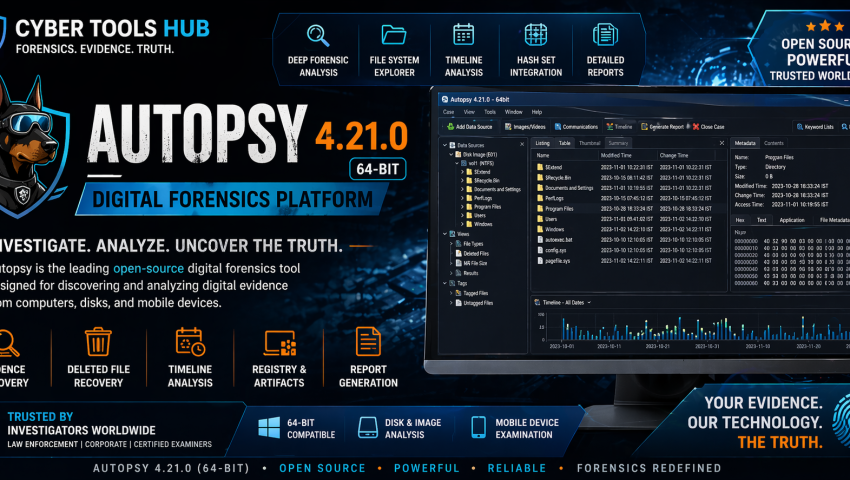
Autopsy-4.21.0-64bit
-
 By Mrityunjay Singh
 - BLOGS
- Apr 24, 2026
- 2 minutes read
- 106 Views
Digital investigations require powerful forensic tools capable of analyzing disks, recovering evidence, and supporting cyber investigations. Autopsy is one of the most widely used open-source digital forensic platforms for investigators, DFIR teams, students, and law enforcement.
Autopsy 4.21.0 64-bit introduced enhancements including faster keyword search options, malware scanning integration support, and logical file timestamp improvements.
What is Autopsy 4.21.0?
Autopsy is a graphical forensic platform built on The Sleuth Kit for analyzing hard drives, disk images, mobile artifacts, deleted files, and digital evidence.
It is commonly used for:
- Computer forensics
- Incident response
- Malware investigations
- Evidence recovery
- Timeline analysis
- Cybercrime investigations
Key Features
1. Disk & File System Forensics
Analyze:
- Hard drives
- SSD images
- USB devices
- Memory cards
- Forensic disk images (E01, RAW and others)
2. Deleted File Recovery
Recover deleted artifacts and hidden evidence from storage media.
Useful for:
- Evidence recovery
- Deleted file analysis
- Artifact carving
- Data reconstruction
3. Keyword Search & Indexing
Version 4.21 added improved keyword search options, including search workflows that may reduce ingest overhead in some cases.
Ideal for:
- Evidence keyword searches
- Threat indicator hunting
- Artifact filtering
4. Timeline Analysis
Build event timelines from:
- File activity
- Browser artifacts
- System events
- User activity traces
5. Browser & User Artifact Analysis
Extract:
- Browser history
- Downloads
- Cookies
- Recent activity
- User behavior artifacts
6. Malware Investigation Support
4.21 introduced a Cyber Triage malware scanner module integration option.
Useful in:
- Malware triage
- Compromise investigations
- Incident response
Use Cases
Digital Forensics Investigations
Analyze seized systems and recover evidence.
Incident Response (DFIR)
Support breach investigations by examining compromised endpoints.
Cybercrime Investigations
Useful for:
- Fraud investigations
- Insider threat cases
- Evidence analysis
- Digital crime reconstruction
Malware Analysis Support
Investigate suspicious files and compromise artifacts.
Education & Forensics Training
Widely used in digital forensics labs and cybersecurity training.
Cybersecurity Focus
From a cybersecurity perspective, Autopsy supports:
Threat Hunting
Search systems for indicators of compromise.
Artifact-Based Investigations
Analyze forensic artifacts after attacks.
Incident Response
Support endpoint compromise analysis.
Evidence Preservation
Maintain structured investigation workflows.
Common Features Analysts Like
✔ File system analysis
✔ Deleted file recovery
✔ Timeline analysis
✔ Keyword searching
✔ Browser artifact extraction
✔ Hash filtering
✔ Malware investigation support
✔ Modular forensic plugins
📥 Where to Buy / Download
To get Autopsy safely, use your official purchase or download link below:
👉 Buy / Download Autopsy 4.21.0 64-bit Here
Recommended for:
- Digital Forensic Analysts
- DFIR Teams
- Ethical Hackers
- Cybersecurity Students
- Incident Responders
Pros
- Powerful forensic capabilities
- Industry-recognized tool
- Open-source platform
- Strong plugin ecosystem
- Useful for professional investigations
Limitations
- Learning curve for beginners
- Large cases can be resource intensive
- Some advanced modules may require additional tools or licenses
Related Tools Often Used With Autopsy
Often paired with:
- FTK Imager
- Volatility
- Wireshark
Final Verdict
Autopsy 4.21.0 64-bit is a powerful platform for digital forensics, incident response, malware investigations, and cyber evidence analysis.
Best suited for:
- Forensic Investigators
- DFIR Professionals
- SOC Analysts
- Security Researchers
- Cybersecurity Learners
Mrityunjay Singh
Leave a comment
Your email address will not be published. Required fields are marked *