
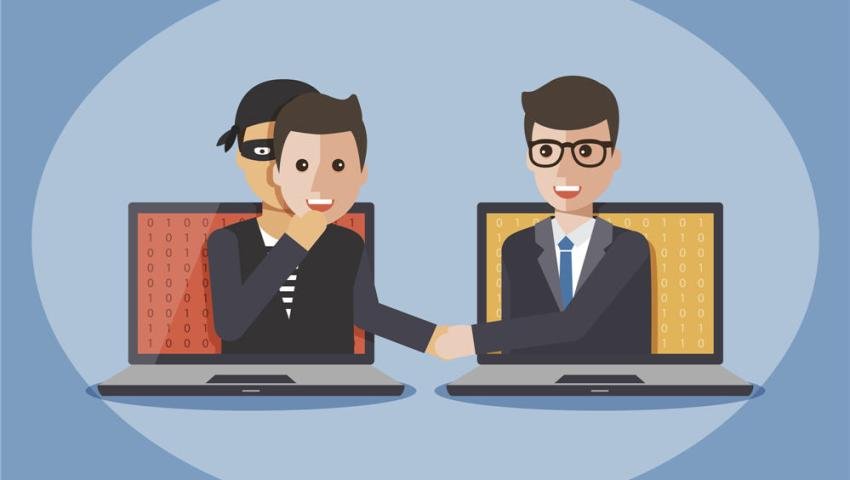
Identity Theft in the Digital Age: How Attackers Steal Your Identity
-
 By Mrityunjay Singh
 - BLOGS
- Sep 16, 2026
- 13 minutes read
- 45 Views
Learn what identity theft is, how cybercriminals steal personal information, common identity theft techniques, warning signs, digital forensics, and practical ways to protect your identity online.
Your name, phone number, email address, date of birth and online accounts may seem like ordinary pieces of information.
Individually, they may not appear particularly valuable.
But when attackers combine enough information about a person, it can become a powerful tool for fraud, impersonation and account takeover.
This is known as identity theft.
Identity theft happens when someone obtains and misuses another person's personal information without authorization. The stolen information may be used to access accounts, make fraudulent transactions, create fake profiles, apply for services, impersonate the victim or carry out other criminal activity.
Identity theft is not a new problem, but the internet has made it easier for criminals to collect information from multiple sources.
Personal information can potentially be exposed through:
- Phishing
- Data breaches
- Malware
- Infostealers
- Fake websites
- Social media
- Malicious applications
- SIM-related fraud
- Stolen devices
- Weak passwords
- Social engineering
- Compromised online accounts
The Federal Trade Commission says more than a million people reported identity theft to it in 2025.
In India, CERT-In has also warned that identity theft can result from phishing, malware, insecure networks, skimming and stolen personal information, among other sources.
What Is Identity Theft?
Identity theft is the unauthorized use of another person's personal or identifying information.
The stolen information can include:
- Full name
- Phone number
- Email address
- Date of birth
- Government identification information
- Bank information
- Payment details
- Login credentials
- Social media accounts
- Address
- Employment information
- Photos
- Account recovery information
The attacker doesn't necessarily need every piece of information about a person.
Sometimes a small amount of information is enough to begin a larger attack.
For example:
Email address → leaked password → account access → access to more personal information
This is why identity protection is closely connected with account security.
Identity Theft vs Account Takeover
These terms are related but not exactly the same.
Identity Theft
Identity theft focuses on the misuse of someone's personal or identifying information.
Account Takeover
Account takeover happens when an attacker gains unauthorized access to an existing online account.
For example:
A criminal obtains a leaked password and logs into someone's email account.
That is an account takeover.
If the attacker then uses information from the account to impersonate the victim or commit fraud, it can become part of a broader identity theft incident.
How Do Attackers Steal Personal Information?
There isn't one single method.
Modern identity theft often involves several techniques combined together.
1. Phishing
Phishing remains one of the most common ways criminals attempt to collect personal information.
A fake message may appear to come from:
- A bank
- Government organization
- Delivery company
- Employer
- Social media platform
- Online shopping website
- Payment service
The victim is directed to a fake website where they may be asked to enter credentials or personal information.
CERT-In describes phishing as a common form of online fraud in which attackers use messages that appear legitimate to capture login credentials or personal data.
2. Data Breaches
A data breach can expose information belonging to large numbers of users.
Depending on the affected organization, exposed information could include:
- Email addresses
- Names
- Phone numbers
- Password hashes
- Addresses
- Account information
- Other personal data
The information may later be traded, redistributed or combined with information from other sources.
This is one reason a person may receive a scam message containing surprisingly accurate personal information.
3. Infostealer Malware
Infostealers are malware families designed to collect information from infected devices.
Depending on the malware and environment, stolen information can include:
- Browser credentials
- Cookies
- Session information
- Autofill data
- Cryptocurrency wallet information
- Browser history
- Account information
An infected personal computer can therefore become a valuable source of identity-related information.
A stolen password is not always the biggest problem.
A stolen session cookie, for example, can sometimes give an attacker a way to access an already authenticated session.
4. Social Engineering
Sometimes criminals don't need sophisticated malware.
They simply convince the victim to give them information.
For example, an attacker might pretend to be:
- Bank support
- IT support
- A company employee
- A delivery agent
- Government staff
- A friend
- A relative
The attacker uses trust and urgency rather than technical exploitation.
This is known as social engineering.
5. SIM Swap and Number Takeover
A phone number can be connected to many online accounts.
Attackers may attempt to gain control of a victim's mobile number through fraudulent SIM-related processes.
If successful, the attacker may attempt to intercept communications or use the number during account-recovery processes.
Because phone numbers are often connected to email, banking and social media accounts, protecting the mobile number is an important part of identity security.
6. Fake Mobile Applications
Not every application available online is trustworthy.
A malicious application may attempt to collect information from the device or trick the user into providing sensitive data.
This is why users should:
- Install applications from trusted sources.
- Check the developer.
- Review permissions.
- Keep the operating system updated.
- Avoid modified or suspicious application packages.
7. Social Media Oversharing
People often publish information without realizing how useful it can be to attackers.
A social media profile might reveal:
- Full name
- Birthday
- Workplace
- Family members
- Location
- School
- Phone number
- Email address
- Pet's name
- Travel plans
Some of these details are commonly used in password-reset questions, social-engineering conversations or identity verification.
The FTC reported that in 2025, nearly 30% of people who reported losing money to a scam said the scam started on social media.
That doesn't mean social media itself is inherently unsafe.
It means information shared publicly can become part of an attacker's research.
8. Stolen Devices
A lost or stolen smartphone or laptop can expose significant amounts of personal information if it isn't properly protected.
Modern devices may contain:
- Email accounts
- Photos
- Messages
- Documents
- Browser sessions
- Authentication applications
- Saved credentials
- Financial applications
A strong device passcode and encryption can therefore provide an important layer of protection.
9. Public Wi-Fi and Unsafe Networks
Public networks can introduce security risks, particularly when users connect to suspicious or poorly secured networks.
Attackers may attempt to use network-based techniques to capture information or redirect users toward malicious services.
Users should avoid entering highly sensitive information on suspicious networks and should ensure that websites and applications use secure connections.
10. Credential Stuffing
Credential stuffing happens when attackers use stolen username-and-password combinations against other websites.
For example:
A password is leaked from Website A.
The user has reused that password on:
- Shopping account
- Social media
- Cloud storage
The attacker tries the same credentials elsewhere.
This is why password reuse can turn one breach into multiple compromised accounts.
How Identity Theft Can Happen Without a Major Hack
Many people assume:
"A hacker must break into my computer."
Not necessarily.
Identity theft can happen through simple information gathering.
For example:
Public social media information
Leaked email address
Reused password
Social engineering
can be enough to create a serious account-security problem.
This is why cybersecurity is not only about protecting devices.
It is also about protecting information.
What Information Do Identity Thieves Want?
Different criminals target different information.
Login Credentials
Usernames and passwords can provide direct access to online accounts.
Financial Information
Bank and payment information can be used for fraud.
Personal Information
Names, addresses, dates of birth and other identifiers can support impersonation.
Government Identification Information
Government-issued identification details can be especially sensitive.
Email Accounts
Email accounts are particularly valuable because they may be used to reset passwords for other services.
Phone Numbers
Phone numbers can be linked to banking, messaging and authentication systems.
Session Information
Browser cookies and session tokens may allow attackers to interact with accounts without knowing the original password in some circumstances.
Why Your Email Account Is So Important
Your primary email account can act as the recovery center for your digital life.
Think about the number of services connected to it:
- Social media
- Shopping
- Cloud storage
- Banking alerts
- Work accounts
- Subscription services
- Password recovery
If an attacker gains control of the email account, they may attempt to reset passwords for other services.
That can create a chain reaction.
For this reason, your primary email account should have particularly strong protection.
Warning Signs of Identity Theft
Identity theft isn't always immediately obvious.
However, some warning signs deserve attention.
Unexpected Account Alerts
You receive a login notification that you don't recognize.
Password Reset Messages
You receive password-reset emails that you didn't request.
Unknown Transactions
You notice payments or withdrawals that you don't recognize.
New Accounts
You discover an account or service that you never created.
Unknown Devices
Your account shows a device or login location you don't recognize.
SIM or Mobile Problems
Your phone suddenly loses network service without an obvious reason.
Unexpected Verification Messages
You receive OTPs or authentication notifications without trying to log in.
Strange Messages From Friends
Friends tell you that they received unusual messages from your account.
CERT-In lists unfamiliar withdrawals, unexpected charges, exhausted wallet balances and notices of compromised information among possible indicators of identity theft.
How Identity Theft Affects Businesses
Identity theft isn't limited to individuals.
Businesses can also face identity-related attacks.
An attacker may impersonate:
- Employees
- Executives
- Customers
- Vendors
- Contractors
This can lead to:
- Business Email Compromise
- Financial fraud
- Unauthorized access
- Data theft
- Reputation damage
CERT-In has identified identity theft, spoofing and phishing among categories of cyber incidents that organizations may need to address.
Business Email Compromise and Identity Theft
Business Email Compromise, commonly called BEC, is a good example of how identity and financial fraud can overlap.
An attacker may compromise or imitate an employee's identity and attempt to convince another employee to:
- Transfer money
- Change payment details
- Share confidential documents
- Reveal credentials
- Approve a transaction
The attacker doesn't necessarily need to hack the finance system.
They may simply convince a legitimate employee to perform the action.
How Social Media Can Help Attackers
Social media can provide attackers with valuable background information.
Suppose someone publicly posts:
- Their job title
- Company
- Birthday
- Family information
- Recent travel
- New phone
- Workplace event
An attacker can use those details to construct a believable message.
For example:
"Hi, I'm from your company's IT team. We noticed a login from the location you recently visited."
The more realistic the story appears, the easier social engineering can become.
This is why privacy settings and careful sharing matter.
Identity Theft and AI
Artificial intelligence is adding another layer to identity-related fraud.
Attackers can potentially use AI to create:
- Convincing phishing messages
- Fake profile pictures
- Synthetic voices
- Deepfake videos
- Personalized social-engineering messages
- Automated scam conversations
CERT-In warned in 2026 that emerging AI-driven cyber capabilities could contribute to identity compromise, financial fraud and impersonation.
This means users should not assume that a professional-looking message or familiar-looking profile is automatically genuine.
Identity Theft and Data Breaches
Data breaches are particularly important because they can expose information that victims never intentionally shared with criminals.
Imagine you created an account on an online service several years ago.
You may have forgotten about it.
If that organization later suffers a breach, information associated with your old account could potentially become available to attackers.
This is why it is useful to:
- Delete unused accounts
- Use unique passwords
- Monitor important accounts
- Pay attention to breach notifications
- Avoid storing unnecessary personal information
How to Protect Yourself From Identity Theft
1. Use Unique Passwords
Never reuse an important password across multiple services.
A password manager can help generate and store unique credentials.
2. Enable Multi-Factor Authentication
MFA adds another layer of protection beyond the password.
Where available, consider phishing-resistant options such as passkeys or security keys.
CERT-In recommends stronger authentication mechanisms for protecting important accounts.
3. Secure Your Email Account
Use strong authentication on your primary email account.
Review:
- Recovery email
- Recovery phone
- Logged-in devices
- Connected applications
- Forwarding rules
4. Review Account Activity
Many online services provide security dashboards showing:
- Recent logins
- Devices
- Locations
- Security events
Check these periodically.
5. Limit Public Personal Information
Review your social media profiles.
Ask:
Does a stranger really need to know this?
Avoid publicly sharing information that can be used for account recovery or impersonation.
6. Be Careful With OTPs
Never share an OTP simply because someone claims to be:
- Bank support
- Customer service
- Police
- Government officials
- Delivery staff
An unexpected OTP can be a sign that someone is attempting to access an account.
7. Keep Devices Updated
Security updates can fix vulnerabilities that attackers may otherwise exploit.
Keep:
- Smartphone
- Laptop
- Browser
- Applications
- Security software
updated.
8. Review App Permissions
A flashlight application does not normally need access to your contacts.
A calculator generally doesn't need your microphone.
Review application permissions and remove access that isn't necessary.
9. Protect Your SIM and Mobile Number
Contact your telecom provider if you notice unexplained changes in your mobile service.
Protect important accounts with stronger authentication methods where possible instead of relying entirely on SMS-based verification.
10. Monitor Financial Accounts
Regularly review:
- Bank statements
- Credit/debit card transactions
- Wallet activity
- UPI activity
- Subscription payments
Early detection can limit damage.
Identity Theft Protection for Businesses
Organizations should treat identity protection as part of their overall cybersecurity program.
Important controls include:
Multi-Factor Authentication
Protect employee accounts with MFA.
Role-Based Access Control
Employees should only have the access they need.
Security Awareness Training
Teach employees how to identify:
- Phishing
- Impersonation
- Fake login pages
- Suspicious payment requests
Password Management
Use unique credentials and centralized password-management practices.
Monitoring
Monitor unusual account activity and authentication events.
Incident Response
Have a defined procedure for compromised accounts.
CERT-In's 2025 guidance for industry recommends strong authentication, MFA, role-based access control and regular patch management as part of protecting business operations.
Identity Theft and Dark Web Exposure
When stolen information is obtained through breaches or malware, criminals may distribute or trade it in underground communities.
This can include:
- Email addresses
- Passwords
- Cookies
- Account credentials
- Personal information
However, not every piece of exposed information automatically means that an account has been compromised.
Exposure and active compromise are different things.
For example:
Your email appears in a leaked database
does not necessarily mean:
Someone currently has access to your email account.
The appropriate response depends on what information was exposed and whether the associated account remains at risk.
Identity Theft and Digital Forensics
When an identity theft incident becomes serious, digital forensics can help determine what happened.
Investigators may examine:
- Device artifacts
- Browser history
- Login records
- Email headers
- Application data
- Network information
- Authentication logs
- File timestamps
- Messaging records
- Account activity
- Malware indicators
The investigation may try to answer questions such as:
How was the information obtained?
When was the account accessed?
Which device was involved?
What information was taken?
What actions did the attacker perform?
Was malware involved?
Were other accounts affected?
What to Do If Your Identity Has Been Stolen
If you suspect identity theft, act quickly.
Step 1: Secure Your Most Important Accounts
Start with:
- Banking
- Payment accounts
- Cloud storage
- Social media
- Work accounts
Change compromised credentials and enable stronger authentication.
Step 2: Contact Your Bank
If financial information is involved, contact your bank or payment provider immediately.
Ask about:
- Blocking cards
- Disputing unauthorized transactions
- Securing the account
- Replacing compromised credentials
Step 3: Preserve Evidence
Don't immediately delete suspicious messages or accounts.
Save:
- Screenshots
- Emails
- Phone numbers
- URLs
- Transaction records
- Login alerts
- Suspicious files
- Relevant timestamps
This information may become useful during an investigation.
Step 4: Report the Incident
In India, cybercrime can be reported through the Government of India's National Cyber Crime Reporting Portal.
Organizations and individuals should also follow the relevant reporting process for their bank, service provider or organization.
CERT-In also provides an incident-response contact channel for cybersecurity incidents.
Identity Theft Prevention Checklist
Personal Security
- Use unique passwords.
- Use a password manager.
- Enable MFA.
- Use passkeys where available.
- Protect your email account.
- Keep devices updated.
- Review account activity.
- Limit public personal information.
- Avoid suspicious links.
- Monitor financial transactions.
- Review application permissions.
- Remove unused accounts.
Business Security
- Implement MFA.
- Use RBAC.
- Monitor authentication activity.
- Train employees.
- Protect privileged accounts.
- Maintain secure backups.
- Patch systems regularly.
- Monitor leaked credentials.
- Maintain incident-response procedures.
- Review third-party access.
Identity Theft vs Data Breach
These terms are often confused.
Data Breach
Unauthorized access to or exposure of data.
Identity Theft
Unauthorized use of someone's identity or personal information.
A data breach can lead to identity theft, but they are not the same thing.
For example:
Company database breached
↓
Customer information exposed
↓
Attacker obtains personal information
↓
Information is used to impersonate the customer
The first event is a data breach.
The later misuse can become identity theft.
Why Identity Protection Is Becoming More Important
The modern digital identity is spread across many services.
One person may have:
- Multiple email accounts
- Banking accounts
- Social media profiles
- Shopping accounts
- Cloud storage
- Government services
- Work accounts
- Messaging platforms
- Digital payment accounts
Each account creates another place where information can potentially be exposed.
At the same time, cybercriminals can combine information from different sources.
This makes identity security a continuous process rather than a one-time task.
The Future of Identity Security
The future of identity protection is moving beyond passwords.
Modern systems increasingly use:
- Passkeys
- Hardware security keys
- Biometrics
- Device-based authentication
- Risk-based authentication
- Behavioral monitoring
- Identity threat detection
- AI-assisted security monitoring
At the same time, attackers are also becoming more sophisticated.
AI can make phishing and impersonation more convincing, while stolen credentials and personal information can be combined to create highly targeted attacks.
The result is a constant competition between stronger authentication and increasingly sophisticated social engineering.
Mrityunjay Singh
Leave a comment
Your email address will not be published. Required fields are marked *