
QR Code Scams: How Cybercriminals Are Tricking Users in 2026
-
 By Mrityunjay Singh
 - BLOGS
- Jul 08, 2026
- 5 minutes read
- 81 Views
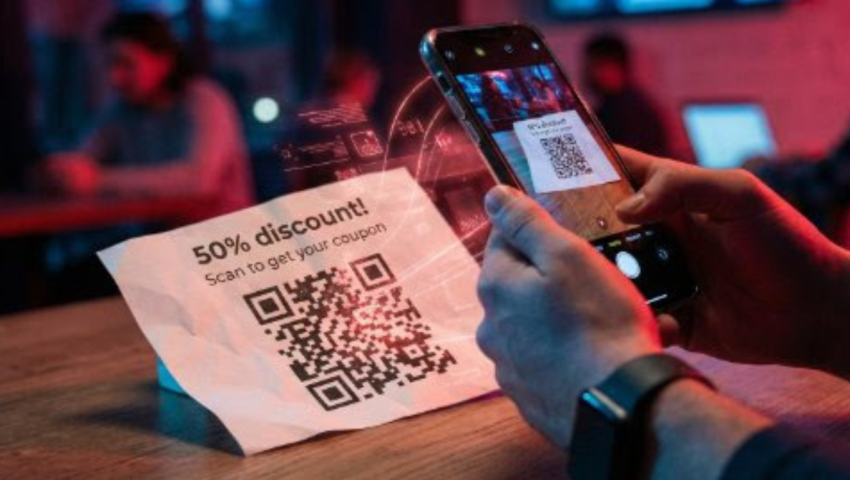
QR codes have become part of our everyday lives. From making payments at local stores to accessing restaurant menus, downloading apps, and verifying accounts, people scan QR codes without giving them a second thought. Unfortunately, cybercriminals know this—and they are increasingly exploiting that trust.
In 2026, QR code scams (also known as "Quishing") have become one of the fastest-growing cyber threats worldwide. A single scan can redirect users to fake websites, steal login credentials, infect devices with malware, or even drain bank accounts.
This guide explains how QR code scams work, the latest techniques used by attackers, and practical steps you can take to stay protected.
What Is a QR Code Scam?
A QR code scam occurs when attackers create or replace a legitimate QR code with a malicious one. Instead of taking users to the intended destination, the code redirects them to a fraudulent website or initiates a harmful action.
Unlike suspicious-looking links, QR codes hide the actual destination, making it difficult for users to identify malicious websites before scanning.
Why Are QR Code Scams Increasing?
Several factors have contributed to the rise of QR code attacks:
- QR payments are widely accepted.
- Businesses increasingly use QR codes for customer engagement.
- People trust QR codes more than shortened URLs.
- Smartphones automatically open QR links.
- Attackers can easily print fake QR code stickers and place them over legitimate ones.
Cybercriminals rely on curiosity, urgency, and convenience to trick victims into scanning malicious codes.
How QR Code Scams Work
Step 1: Fake QR Code Creation
The attacker creates a QR code pointing to a malicious website.
Examples include:
- Fake banking login pages
- Fake payment gateways
- Malware download pages
- Cryptocurrency wallet addresses
- Fake Microsoft or Google login pages
Step 2: Distribution
Attackers spread malicious QR codes through multiple channels:
- Printed stickers
- Restaurant menus
- Parking meters
- ATM machines
- Utility bills
- Social media posts
- WhatsApp messages
- Emails
- Product packaging
- Public advertisements
Step 3: Victim Scans the Code
Once scanned, the victim is redirected to a fake website that appears legitimate.
Many victims never notice the difference because modern phishing pages closely resemble official websites.
Step 4: Data Theft
Attackers steal:
- Usernames
- Passwords
- Credit card information
- Banking credentials
- OTP codes
- Cryptocurrency wallets
- Personal information
Some attacks even install spyware or malware automatically after downloading a fake application.
Most Common QR Code Scams in 2026
1. Fake Payment QR Codes
Criminals place fake payment QR stickers over genuine merchant QR codes.
Instead of paying the business, customers unknowingly transfer money directly to the scammer.
Example
A customer scans a QR code at a café.
The payment succeeds.
The café later informs them that no payment was received.
The money actually went to the attacker's account.
2. Banking Verification Scam
Victims receive an SMS stating:
"Your bank account has been temporarily suspended. Scan this QR code to verify your identity."
The QR code leads to a fake banking website that steals login credentials.
3. Package Delivery Scam
Victims receive messages like:
"Your package could not be delivered. Scan the QR code to reschedule delivery."
The fake website requests payment for "delivery charges."
4. Parking Meter Scam
Attackers place fake QR stickers on parking machines.
Drivers scan the code and pay the scammer instead of the parking authority.
5. Restaurant Menu Scam
Many restaurants now use QR code menus.
Attackers replace legitimate QR codes with fake ones that:
- Install malware
- Collect payment details
- Redirect users to phishing websites
6. Cryptocurrency Wallet Scam
Victims scanning donation or payment QR codes unknowingly send cryptocurrency to attacker-controlled wallets.
Since crypto transactions are irreversible, recovering funds is nearly impossible.
How to Identify a Fake QR Code
Watch for these warning signs:
The QR code is covered with a sticker
Attackers often place fake QR stickers over original ones.
The website asks for passwords immediately
Legitimate QR codes rarely require instant login.
The URL looks suspicious
Examples:
paytm-security-login.cominstead of
paytm.comPoor website design
- Broken images
- Grammar mistakes
- Generic layouts
- Missing contact details
These often indicate phishing sites.
Unexpected app downloads
Never install apps immediately after scanning a QR code unless you trust the source.
Real-Life Example
Imagine you're at a parking lot.
You scan the payment QR code.
The page looks genuine.
You pay ₹150.
A few hours later, you receive another parking fine because the payment actually went to a scammer.
This type of fraud has been reported in several countries and continues to increase.
How to Stay Safe
Verify Before Scanning
Only scan QR codes from trusted sources.
Check the URL
Many smartphones display the destination before opening it.
Always verify the website address.
Inspect Physical QR Codes
If a QR code looks like it has been pasted over another one, avoid scanning it.
Enable Multi-Factor Authentication (MFA)
Even if attackers steal your password, MFA adds another layer of protection.
Keep Your Phone Updated
Install the latest operating system and security updates to reduce the risk of malware.
Use Mobile Security Software
A trusted mobile security app can block known phishing websites and detect malicious downloads.
Never Enter Sensitive Information Immediately
If a QR code opens a banking or payment page unexpectedly, close it and access the official website manually instead.
What Should You Do If You Scanned a Malicious QR Code?
If you think you've scanned a fake QR code:
- Disconnect from the internet if a suspicious download started.
- Do not enter passwords or OTPs.
- Change passwords for affected accounts immediately.
- Enable MFA if it is not already active.
- Contact your bank if payment information was entered.
- Scan your device using reputable security software.
- Monitor bank statements and online accounts for unusual activity.
- Report the phishing website to your organization's IT team or the relevant cybercrime reporting portal in your country.
Best Practices for Businesses
Businesses can also reduce QR code fraud by:
- Regularly inspecting printed QR codes for tampering.
- Using branded QR codes that customers can recognize.
- Displaying the official website alongside the QR code.
- Educating employees about QR phishing.
- Replacing damaged or suspicious QR stickers immediately.
Final Thoughts
QR codes have made digital interactions faster and more convenient, but that convenience has also created new opportunities for cybercriminals. By learning how QR code scams work and adopting simple safety habits—such as verifying links, avoiding suspicious stickers, and never entering sensitive information without checking the website—you can significantly reduce your risk.
A few extra seconds of caution before scanning a QR code can help protect your money, personal data, and online accounts from increasingly sophisticated attacks.
Mrityunjay Singh
Leave a comment
Your email address will not be published. Required fields are marked *