
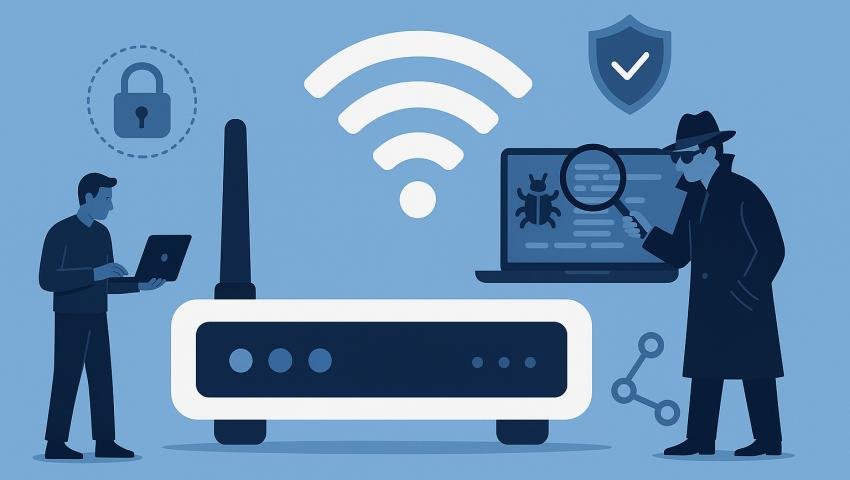
WiFi Hunter: Wireless Network Security Assessment Made Easy
-
 By Mrityunjay Singh
 - BLOGS
- Aug 03, 2026
- 5 minutes read
- 56 Views
Learn how WiFi Hunter helps security professionals identify wireless security risks, monitor Wi-Fi networks, and improve network protection.
Wireless networks have become an essential part of modern businesses, educational institutions, healthcare organizations, and homes. From laptops and smartphones to IoT devices and enterprise infrastructure, almost every connected device relies on Wi-Fi for communication.
However, the convenience of wireless connectivity also introduces significant security challenges. Weak passwords, unauthorized access points, insecure encryption, and poorly configured wireless networks can expose organizations to cyberattacks, data theft, and network compromise.
To maintain a secure wireless environment, organizations need continuous visibility into their Wi-Fi infrastructure. WiFi Hunter is designed to help security professionals monitor, assess, and analyze wireless networks, enabling them to identify potential security risks and strengthen overall network security.
Whether you're conducting a wireless security assessment, monitoring enterprise Wi-Fi, or performing a cybersecurity audit, WiFi Hunter provides valuable insights into your wireless environment.
What Is WiFi Hunter?
WiFi Hunter is a wireless network assessment and monitoring platform that helps cybersecurity professionals identify, analyze, and document wireless networks within an authorized environment.
The platform provides detailed visibility into wireless infrastructure, allowing security teams to review network configurations, discover connected devices, identify unauthorized access points, and support wireless security assessments.
It is intended for use on networks that you own or have explicit authorization to assess.
Why Wireless Network Security Matters
Wi-Fi has become one of the most common entry points for cyberattacks. If wireless networks are not properly secured, attackers may attempt to gain unauthorized access, intercept communications, or exploit weak configurations.
Common risks include:
- Weak Wi-Fi passwords
- Misconfigured access points
- Unauthorized wireless devices
- Outdated encryption methods
- Rogue access points
- Poor network segmentation
- Unauthorized guest access
- Unmonitored wireless activity
Regular wireless security assessments help reduce these risks before they can be exploited.
Key Features of WiFi Hunter
Wireless Network Discovery
WiFi Hunter helps identify wireless networks operating within an authorized assessment area.
The platform can provide information such as:
- Network Name (SSID)
- Frequency Band
- Channel Information
- Signal Strength
- Encryption Type
- Vendor Information
This allows administrators to maintain visibility into their wireless infrastructure.
Connected Device Visibility
Understanding which devices are communicating on your wireless network is essential for maintaining security.
WiFi Hunter helps identify:
- Laptops
- Smartphones
- Tablets
- IoT devices
- Printers
- Smart TVs
- IP Cameras
- Enterprise devices
Maintaining an accurate inventory helps identify unfamiliar or unauthorized devices.
Rogue Access Point Detection
Unauthorized wireless access points can introduce significant security risks.
WiFi Hunter assists administrators in identifying access points that are not part of the approved wireless infrastructure.
Detecting unauthorized devices early helps reduce the risk of accidental or malicious network exposure.
Wireless Signal Analysis
Signal strength plays an important role in wireless performance and coverage.
WiFi Hunter provides visibility into:
- Signal quality
- Coverage areas
- Channel utilization
- Potential interference
- Network stability
This information supports both security and performance optimization.
Encryption Assessment
Proper encryption helps protect wireless communications from unauthorized access.
WiFi Hunter enables administrators to review the encryption methods used across wireless networks, helping identify outdated or weaker configurations that may require attention.
Organizations should adopt modern, standards-based encryption and follow vendor recommendations for securing wireless infrastructure.
Channel Analysis
Wireless interference can reduce network performance and reliability.
WiFi Hunter assists in analyzing channel usage to help administrators identify congested channels and optimize wireless deployments.
Network Inventory
Maintaining an inventory of wireless infrastructure simplifies ongoing security management.
WiFi Hunter can help document:
- Access points
- Wireless networks
- Device identifiers
- Security configurations
- Deployment locations
Accurate inventories improve auditing and troubleshooting.
Security Reporting
Professional reporting is an important part of any wireless assessment.
WiFi Hunter helps generate structured reports that summarize:
- Wireless networks identified
- Device inventory
- Security observations
- Configuration details
- Assessment findings
- Recommendations for improvement
These reports support internal audits, compliance reviews, and security documentation.
Benefits of WiFi Hunter
Organizations can benefit from:
- Improved wireless visibility
- Faster identification of unauthorized devices
- Better wireless security assessments
- Simplified network documentation
- Enhanced compliance reporting
- Improved operational awareness
- Support for ongoing security monitoring
By providing centralized visibility into wireless infrastructure, WiFi Hunter helps organizations make informed security decisions.
Common Wireless Security Challenges
Many organizations face issues such as:
Unauthorized Access Points
Employees may connect personal routers or wireless hotspots that bypass organizational security controls.
Weak Password Policies
Simple or reused Wi-Fi passwords increase the risk of unauthorized access.
Legacy Security Configurations
Older wireless security settings may not provide the same level of protection as current standards.
Unmanaged Devices
Personal devices, IoT equipment, and temporary systems can introduce additional security considerations if they are not properly monitored.
Wireless Coverage Gaps
Poorly planned deployments may create areas with weak coverage or overlapping signals that affect performance and management.
Who Can Use WiFi Hunter?
WiFi Hunter is suitable for:
Enterprise IT Teams
Monitor and maintain secure corporate wireless networks.
Cybersecurity Professionals
Conduct authorized wireless security assessments and reviews.
Managed Security Service Providers (MSSPs)
Support clients with wireless monitoring and assessment services.
Educational Institutions
Maintain visibility across campus Wi-Fi infrastructure.
Healthcare Organizations
Monitor wireless environments supporting medical and administrative systems.
Government Agencies
Strengthen the security of authorized wireless deployments used for public services and critical operations.
Best Practices for Wireless Security
To improve wireless security:
- Use strong, unique Wi-Fi passwords.
- Enable the latest supported wireless security standards.
- Regularly update wireless equipment firmware.
- Separate guest and corporate networks.
- Review connected devices frequently.
- Remove unused access points.
- Monitor wireless activity continuously.
- Conduct periodic wireless security assessments.
- Document all authorized wireless infrastructure.
- Restrict administrative access to networking equipment.
Consistent monitoring and maintenance are key to a secure wireless environment.
Conclusion
Wireless networks are now a critical part of every modern organization, but they also represent a significant area of cybersecurity risk if left unmanaged. Continuous monitoring, accurate inventory management, and regular security assessments are essential for maintaining a secure and reliable wireless environment.
WiFi Hunter provides organizations with a centralized platform for wireless network visibility, device discovery, security assessments, and reporting. By helping administrators identify configuration issues, monitor authorized infrastructure, and strengthen wireless security practices, WiFi Hunter supports a proactive approach to protecting today's connected environments.
Mrityunjay Singh
Leave a comment
Your email address will not be published. Required fields are marked *