
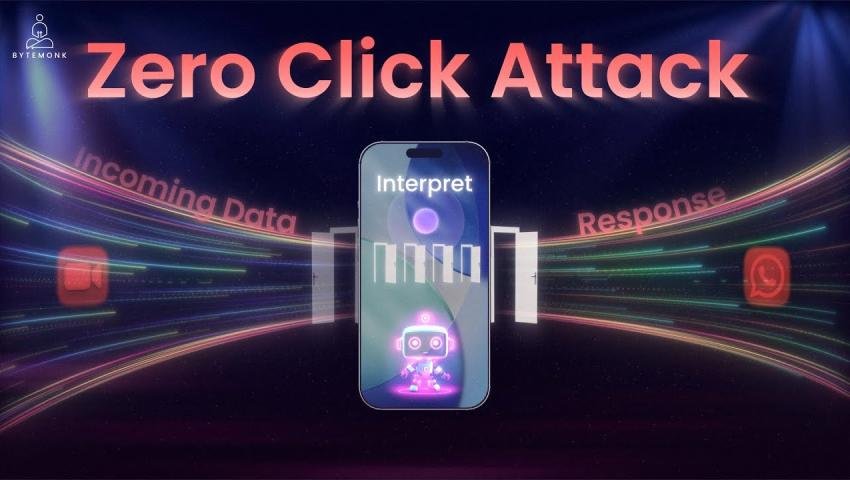
Zero-Click Attacks: How Phones Can Be Hacked Without a Click
-
 By Mrityunjay Singh
 - BLOGS
- Sep 16, 2026
- 11 minutes read
- 49 Views
Learn what zero-click attacks are, how they target smartphones through messaging and other services, common warning signs, forensic evidence, and practical ways to protect mobile devices.
Introduction
Most people imagine a cyberattack like this:
You receive a suspicious message.
You click a link.
You download a file.
Your device becomes infected.
But some attacks don't require the victim to do anything at all.
These are commonly referred to as zero-click attacks.
A zero-click attack is a type of cyberattack in which a vulnerability can be exploited without requiring the victim to click a malicious link, open an attachment, or intentionally interact with the attacker.
Instead, the attack may target software that automatically processes incoming content.
This can make zero-click attacks particularly difficult for ordinary users to recognize.
A smartphone may receive a specially crafted message, call, image, document, or other network content. If a vulnerable application processes that content automatically, exploitation can potentially happen without the user opening the message.
This is why zero-click vulnerabilities have become an important topic in mobile cybersecurity and digital forensics.
What Is a Zero-Click Attack?
A zero-click attack exploits a vulnerability without requiring traditional user interaction.
The term doesn't necessarily mean that an attacker literally performs an attack with "zero actions."
It means the victim does not have to interact with the malicious content in the usual way.
For example, a vulnerable application might automatically:
- Parse an incoming message
- Generate a preview
- Process an image
- Decode media
- Handle a notification
- Process an incoming call
- Parse a document
- Analyze network data
If a vulnerability exists in that processing component, specially crafted content could potentially trigger it.
Zero-Click vs One-Click Attacks
The difference is mainly about user interaction.
| Attack Type | Typical User Interaction |
|---|---|
| Traditional phishing | User clicks a link |
| Malicious attachment | User opens a file |
| One-click exploit | User interacts with malicious content |
| Zero-click attack | No intentional interaction required |
A traditional phishing attack might say:
"Click here to verify your account."
A zero-click attack attempts to take advantage of software processing that occurs before the user intentionally interacts with the content.
Why Zero-Click Attacks Are Dangerous
The biggest problem is simple:
There may be no obvious mistake made by the victim.
With phishing, a security team can often ask:
"Why did the user click the suspicious link?"
With a zero-click attack, that question may not apply.
The victim might simply have:
- Received a message
- Received a call
- Received media
- Used an application
- Connected to a service
The vulnerable software may have processed the content automatically.
This changes the security model from:
"Don't click suspicious links."
to:
"Keep vulnerable software patched and reduce unnecessary attack surfaces."
How Zero-Click Attacks Can Work
At a high level, the attack chain may look like this:
Attacker
↓
Maliciously Crafted Content
↓
Messaging / Network Service
↓
Automatic Processing
↓
Vulnerable Component
↓
Code Execution or Other Security Impact
↓
Potential Device Compromise
The exact process depends on the vulnerability.
Some zero-click vulnerabilities may affect:
- Memory handling
- Image processing
- Media parsing
- Message parsing
- Network protocols
- File processing
- Application frameworks
Messaging Apps as an Attack Surface
Messaging applications are particularly interesting from a security perspective because they process large amounts of data automatically.
A modern messaging application may need to handle:
- Text
- Images
- Videos
- Audio
- Documents
- Stickers
- Contact information
- Link previews
- Notifications
- Calls
Some of this processing can happen before a user consciously opens the content.
If a security vulnerability exists in one of these processing components, attackers may attempt to exploit it using specially crafted data.
This does not mean that every message is dangerous.
It means that messaging applications need strong security engineering, rapid patching and continuous vulnerability research.
Zero-Click Attacks on Smartphones
Smartphones contain multiple components that can potentially become attack surfaces.
These include:
Messaging Systems
Applications that automatically process incoming messages can contain complex parsing functionality.
Media Processing
Images, videos and audio files are processed using sophisticated software libraries.
Notification Systems
Operating systems may process information to display notifications.
Calling Services
Incoming calls and communication protocols require automated processing.
Wireless Interfaces
Bluetooth, Wi-Fi and other wireless technologies continuously communicate with nearby devices.
System Services
Background services may process data without requiring the user to open an application.
The more software a device automatically processes, the more important vulnerability management becomes.
Famous Zero-Click Attack Examples
Zero-click vulnerabilities have been documented in major mobile platforms and communication applications.
One well-known example involved Apple's messaging ecosystem.
Security researchers discovered vulnerabilities in components responsible for processing content received through Apple's messaging infrastructure. Some of these vulnerabilities were exploited in targeted attacks.
Apple has repeatedly published security updates addressing vulnerabilities affecting iPhone and iPad components.
The lesson is not that one specific application is unsafe.
The lesson is that even heavily scrutinized mobile platforms can contain sophisticated vulnerabilities.
Zero-Click Exploitation and Spyware
Zero-click vulnerabilities have also appeared in discussions surrounding highly sophisticated surveillance spyware.
Commercial spyware operations have historically targeted journalists, activists, government officials and other high-value individuals.
Some sophisticated spyware campaigns have used vulnerabilities that required little or no interaction from the target.
Organizations such as Citizen Lab and Amnesty International have documented cases involving sophisticated mobile spyware and zero-click exploitation.
These cases demonstrate an important point:
Zero-click attacks are not necessarily mass-market attacks.
Some may be highly targeted and require significant technical resources.
Are Zero-Click Attacks Common?
No.
This is an important distinction.
The existence of zero-click vulnerabilities does not mean that ordinary smartphone users are constantly being hacked through them.
Developing reliable zero-click exploitation can require:
- Deep vulnerability research
- Specialized technical expertise
- Significant resources
- Knowledge of a particular software version
- Careful exploit development
Many publicly known cases have involved targeted attacks rather than random attacks against everyone.
However, because the impact can be significant, security researchers and technology companies take these vulnerabilities seriously.
Zero-Day vs Zero-Click
These two terms are often confused.
They describe different things.
Zero-Day
A zero-day vulnerability is a security vulnerability that is unknown to the vendor or has not yet been adequately addressed at the time it is being exploited or publicly disclosed, depending on the context.
Zero-Click
A zero-click vulnerability or attack describes the amount of user interaction required.
Therefore:
Zero-day ≠ Zero-click
A vulnerability can be:
- Zero-day but require a click
- Zero-click but already patched
- Both zero-day and zero-click
- Neither
These terms describe different properties of an attack.
Zero-Click vs Zero-Interaction
Security researchers may use different terminology depending on the exact attack.
"Zero-click" generally refers to exploitation that does not require the victim to intentionally interact with the malicious content.
However, some technical attack chains may involve background system activity or automatic processing.
So the phrase should not be interpreted as meaning that absolutely nothing happens on the device.
Something still has to process the attacker's data.
Why Mobile Security Updates Matter
Security updates are one of the most important defenses against zero-click vulnerabilities.
When vendors discover vulnerabilities, they may release patches that modify vulnerable components.
That is why users should:
- Install operating system updates
- Update messaging applications
- Update browsers
- Update security software where applicable
- Avoid running unsupported operating systems
A device that remains on an old software version may continue to contain vulnerabilities that have already been fixed in newer releases.
Lockdown and High-Security Modes
Some smartphone platforms provide additional security modes designed for users who may face sophisticated targeted attacks.
For example, Apple's Lockdown Mode is designed for the small number of people who may be targeted by highly sophisticated cyberattacks.
It limits or disables certain functionality to reduce potential attack surfaces.
This approach demonstrates an important security principle:
More convenience can sometimes mean more attack surface.
High-risk users may choose stronger restrictions in exchange for reduced functionality.
How to Protect Against Zero-Click Attacks
There is no setting that can guarantee protection against every zero-click vulnerability.
However, users can significantly improve their security posture.
1. Keep Your Phone Updated
Install operating system and security updates as soon as practical.
This is one of the most important steps.
2. Update Your Apps
Don't only update Android or iOS.
Messaging applications, browsers and other software also need security updates.
3. Remove Unnecessary Applications
Every application adds functionality to the device.
If an application is no longer needed, uninstall it.
This reduces unnecessary software exposure.
4. Use Official App Stores
Install applications from trusted sources whenever possible.
Avoid installing unknown or modified application packages from untrusted websites.
5. Protect Your Accounts
Use:
- Strong unique passwords
- Passkeys where available
- Multi-factor authentication
- Account recovery protection
A device compromise can sometimes be followed by account takeover, so protecting online identities remains important.
Additional Protection for High-Risk Users
People who may face targeted attacks should consider stronger security practices.
These may include:
- Security-focused device configurations
- Hardware security keys
- Restricted application environments
- Separate devices for sensitive activities
- Reduced exposure on public platforms
- Advanced mobile threat monitoring
- Specialized incident-response support
Journalists, activists, executives, researchers, government personnel and cybersecurity professionals may have different risk profiles depending on their work.
Security controls should therefore be based on the actual threat model.
Signs That a Phone May Be Compromised
Zero-click attacks can be particularly difficult to identify.
There may be no obvious warning.
However, suspicious behavior can sometimes justify investigation.
Potential indicators may include:
- Unexpected crashes
- Unusual battery consumption
- Unexpected restarts
- Unknown configuration changes
- Strange network activity
- Unknown applications or profiles
- Unexpected account activity
- Security alerts
- Unusual communication behavior
These signs are not proof of compromise.
Battery drain or an application crash can have completely ordinary causes.
Forensic analysis is needed to determine whether suspicious activity is actually related to an attack.
Mobile Digital Forensics and Zero-Click Attacks
Digital forensics plays an important role when a sophisticated mobile compromise is suspected.
Investigators may examine:
- Device logs
- Application data
- System artifacts
- Crash reports
- Network records
- Installed applications
- Configuration profiles
- Authentication events
- Browser artifacts
- Messaging databases
- File-system artifacts
- Backup data
The available evidence depends heavily on:
- Device model
- Operating system
- OS version
- Security configuration
- Application
- Attack technique
- Time since compromise
Modern smartphones use strong security controls, encryption and sandboxing, which can make forensic examination challenging.
Why Evidence Preservation Matters
If a device is suspected of compromise, casually modifying it can change or destroy useful evidence.
Forensic investigators therefore follow controlled procedures for:
- Evidence acquisition
- Documentation
- Preservation
- Analysis
- Reporting
A proper forensic process should maintain a clear chain of custody when the evidence may be used in an investigation or legal proceeding.
The goal is not simply to find something suspicious.
The goal is to establish what happened using reliable evidence.
Mobile Forensic Tools and Zero-Click Investigations
Professional forensic platforms can assist investigators in examining mobile devices and associated evidence.
Depending on the device and circumstances, forensic workflows may involve tools such as:
- Cellebrite UFED
- Oxygen Forensic Detective
- Magnet AXIOM
- iMazing
- Specialized mobile forensic utilities
These tools have different capabilities and limitations.
No single forensic tool should automatically be assumed to recover every artifact from every device.
The available evidence depends on the device, OS version, security state and acquisition method.
Can Antivirus Detect Zero-Click Attacks?
Sometimes security software can detect indicators associated with malicious activity.
However, traditional antivirus detection should not be considered a complete solution for sophisticated zero-click exploitation.
A vulnerability may be exploited before conventional malware detection becomes relevant.
For high-risk environments, security teams may combine:
- Endpoint monitoring
- Mobile threat defense
- Network monitoring
- Vulnerability management
- Threat intelligence
- Incident response
- Digital forensics
This provides broader visibility than relying on a single security product.
Zero-Click Attacks and Network Security
A zero-click attack may involve communication between the attacker and the target device.
This means network-level monitoring can sometimes provide useful evidence.
Security teams may investigate:
- Unexpected connections
- Suspicious domains
- Unusual traffic patterns
- Repeated connections
- Unknown infrastructure
- Abnormal data transfers
However, encrypted communication and modern privacy technologies can make network analysis difficult.
Network indicators should therefore be combined with endpoint and forensic evidence.
How Security Researchers Find Zero-Click Vulnerabilities
Security researchers continuously test complex software for vulnerabilities.
Their work can involve:
- Code analysis
- Vulnerability research
- Fuzzing
- Crash analysis
- Reverse engineering
- Protocol analysis
- Patch analysis
- Security testing
When a serious vulnerability is discovered, researchers may coordinate disclosure with the vendor.
The vendor can then investigate the issue and develop a security update.
This responsible disclosure process helps reduce the window during which users remain exposed.
Why Software Complexity Creates Risk
Modern smartphones are extremely complex.
A single device may contain:
- Operating-system services
- Messaging frameworks
- Media codecs
- Web engines
- Bluetooth stacks
- Wi-Fi components
- Image libraries
- File parsers
- Cloud synchronization
- Third-party applications
Every component can potentially contain bugs.
Security engineering therefore involves continuously identifying and reducing those risks.
Zero-Click Attacks and AI
Artificial intelligence is increasingly being used across cybersecurity, including vulnerability research, threat detection and security analysis.
At the same time, AI can potentially help attackers analyze large amounts of technical information or automate parts of their workflows.
However, AI does not magically make every vulnerability exploitable.
Successful exploitation still depends on the underlying vulnerability, target environment and attack conditions.
For defenders, AI-assisted detection and analysis may become increasingly useful as mobile attacks become more sophisticated.
What Should You Do If You Suspect a Zero-Click Attack?
If you believe a phone may have been targeted:
Don't immediately reset the device
A factory reset may remove potentially useful forensic evidence.
Preserve the device
Avoid unnecessary changes.
Document what happened
Record:
- Date and time
- Suspicious messages
- Alerts
- Device behavior
- Account notifications
- Relevant screenshots
Secure important accounts
If there is a credible risk of account compromise, use a separate trusted device to review important accounts and authentication methods.
Seek professional forensic assistance
For high-risk incidents, a qualified mobile forensic investigator or incident-response team can help preserve and analyze evidence.
Zero-Click Attack Prevention Checklist
For Individuals
- Keep iOS or Android updated.
- Update messaging applications.
- Use strong device authentication.
- Enable MFA or passkeys where available.
- Install apps only from trusted sources.
- Remove unused applications.
- Review unexpected account alerts.
- Be careful with unknown devices and accessories.
- Back up important data securely.
For Organizations
- Maintain mobile device management.
- Enforce security updates.
- Monitor high-risk devices.
- Use strong identity controls.
- Protect privileged accounts.
- Maintain incident-response procedures.
- Establish mobile forensic capabilities.
- Train employees on targeted attacks.
- Maintain secure backups.
Mrityunjay Singh
Leave a comment
Your email address will not be published. Required fields are marked *