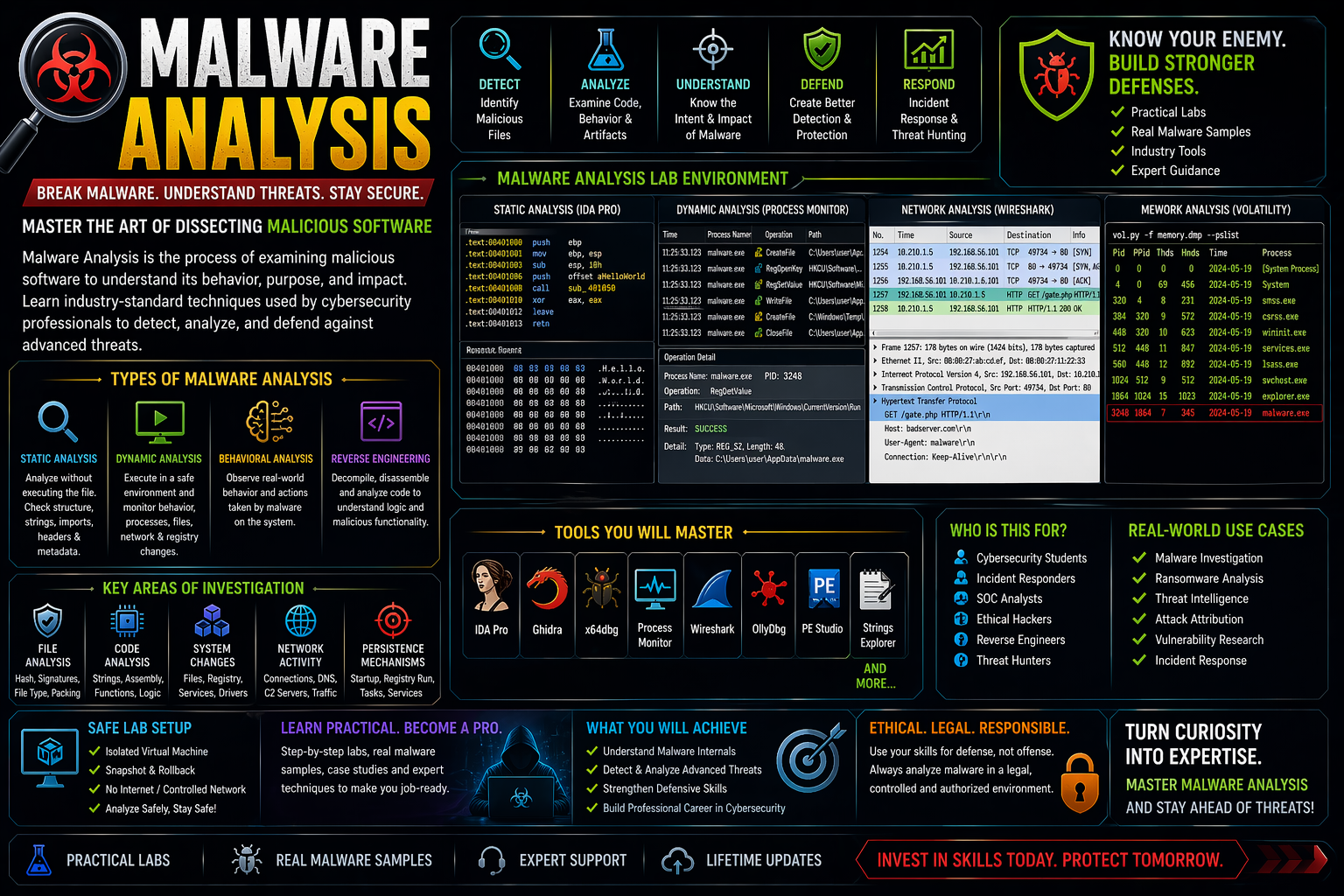
Malware Analysis is the process of examining malicious software (viruses, trojans, ransomware, spyware) to understand:
- How it works
- What damage it can cause
- How to detect and remove it
👉 Simple definition:
“Malware ko tod ke samajhna” (breaking it down to understand behavior)
Types of Malware Analysis
Static Analysis
- Malware ko run kiye bina analyze karte hain
- Code, strings, structure check kiya jata hai
- Fast but limited
👉 Tools:
Dynamic Analysis
- Malware ko controlled environment me run karte hain
- Behavior observe karte hain
👉 Tools:
Behavioral Analysis
- Malware ka real-world behavior track karte hain
- File changes, registry, network activity
Reverse Engineering
- Malware ka code deeply analyze karte hain
- Assembly level tak breakdown
👉 Tools:
Key Components of Malware Analysis
File Analysis
- File type, hash, size, signatures
Memory Analysis
- Running processes, injected code
Network Analysis
- C2 (Command & Control) servers
- Suspicious connections
System Changes
- Registry edits
- File creation/deletion
Real-World Use Cases
- Virus & ransomware investigation
- Cyber attack analysis
- Threat intelligence gathering
- Security research
- Incident response
Malware Analysis Lab Setup
👉 Safe environment banana MUST hai:
- Virtual Machine (VMware / VirtualBox)
- Isolated network (no internet or controlled)
- Snapshot & rollback feature
- Dummy test files
⚠️ Never run malware on your main system
Legal & Safety Warning
- Only analyze malware in controlled lab environment
- Unauthorized use or spreading malware is illegal
- Always follow ethical cybersecurity practices